
Settings · General
The General tab gathers the options you reach for most often: how often NowDoing asks, how the prompt appears, what the menu bar looks like, and whether notes go into the Spotlight index.
How to read the tab
Section titled “How to read the tab”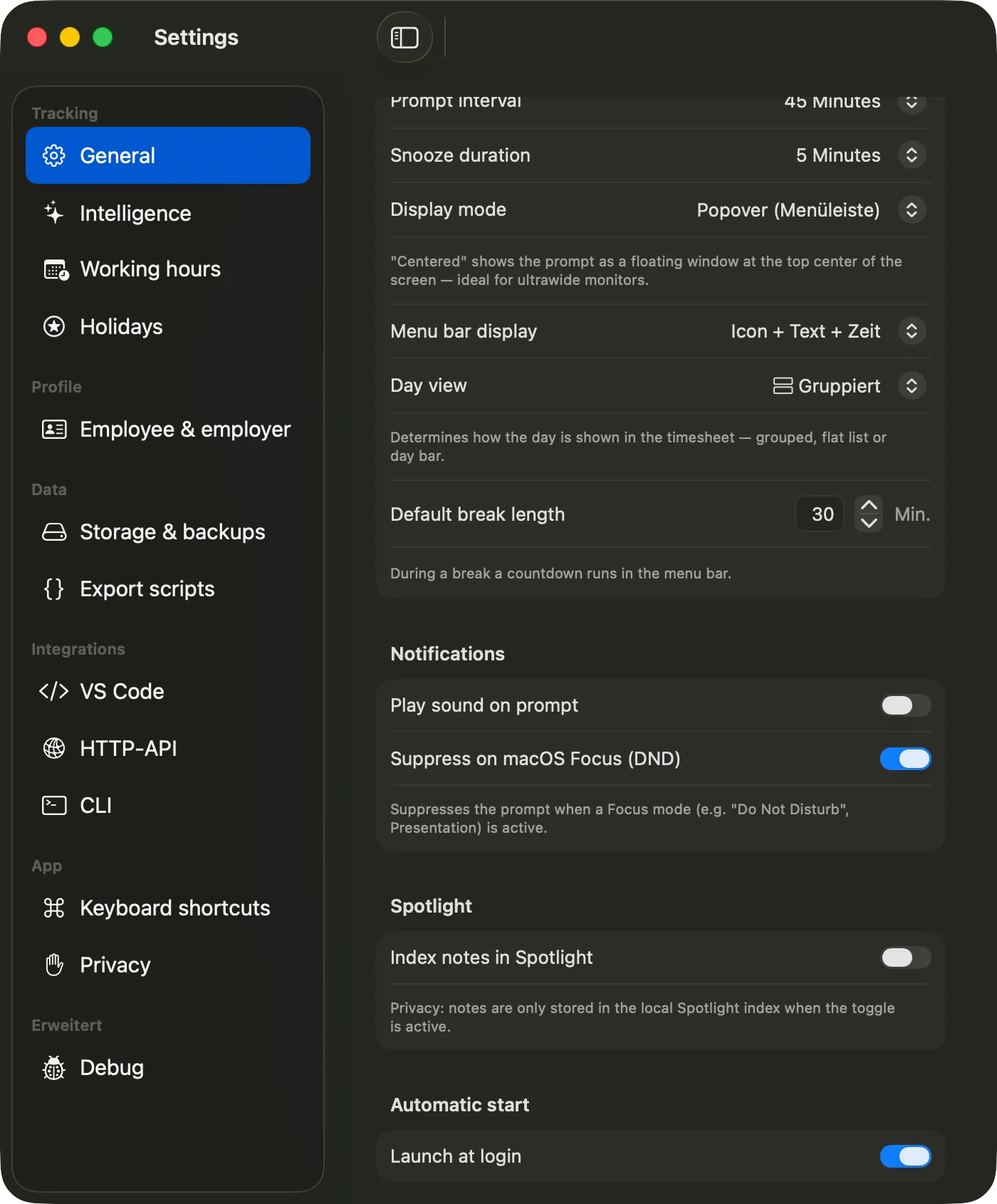
- Tab selection. The tab list on the left. The General tab is active and highlighted in blue.
- Tracking. Everything around the regular prompt and how the day view is rendered.
- Notifications. Optional sound and muting while a Focus mode is active.
- Spotlight. Toggles indexing of notes for the macOS Spotlight search.
- Automatic start. Launches NowDoing after you sign in to macOS.
Tracking
Section titled “Tracking”- Prompt interval — how often the prompt appears. Choices: 5, 10, 15, 20, 30, 45 or 60 minutes. Default: 20 minutes. Background in Tracking interval.
- Snooze duration — when you snooze the prompt, NowDoing waits this long before showing it again. Choices: 1, 3, 5, 10, 15 or 30 minutes.
- Display mode — where the prompt pops up. Popover (menu bar) anchors it to the menu bar icon; Centered shows it as a floating window at the top center of the screen — handy on ultrawide monitors. Details in Prompt display.
- Menu bar display — what sits next to the icon: icon only, icon + text, icon + time, or icon + text + time. See Menu bar & popover.
- Day view — default shape of the day in the popover and timesheet: grouped by activity group, flat list, or day bar. See Timeline & views.
- Default break length — preset in minutes when you start a break manually. During a break a countdown runs in the menu bar. More in Breaks.
Notifications
Section titled “Notifications”- Play sound on prompt — a short cue when the prompt appears. With sound off the prompt stays silent.
- Suppress on macOS Focus (DND) — while a Focus mode is active (e.g. “Do Not Disturb” or “Presentation”), no prompt appears. NowDoing catches up as soon as the Focus mode ends.
Spotlight
Section titled “Spotlight”- Index notes in Spotlight — exposes your notes to the macOS Spotlight search. With the toggle off, nothing ends up in the Spotlight index. How the integration works is described in Spotlight.
Automatic start
Section titled “Automatic start”- Launch at login — adds NowDoing to your login items so it runs in the background after every sign-in.